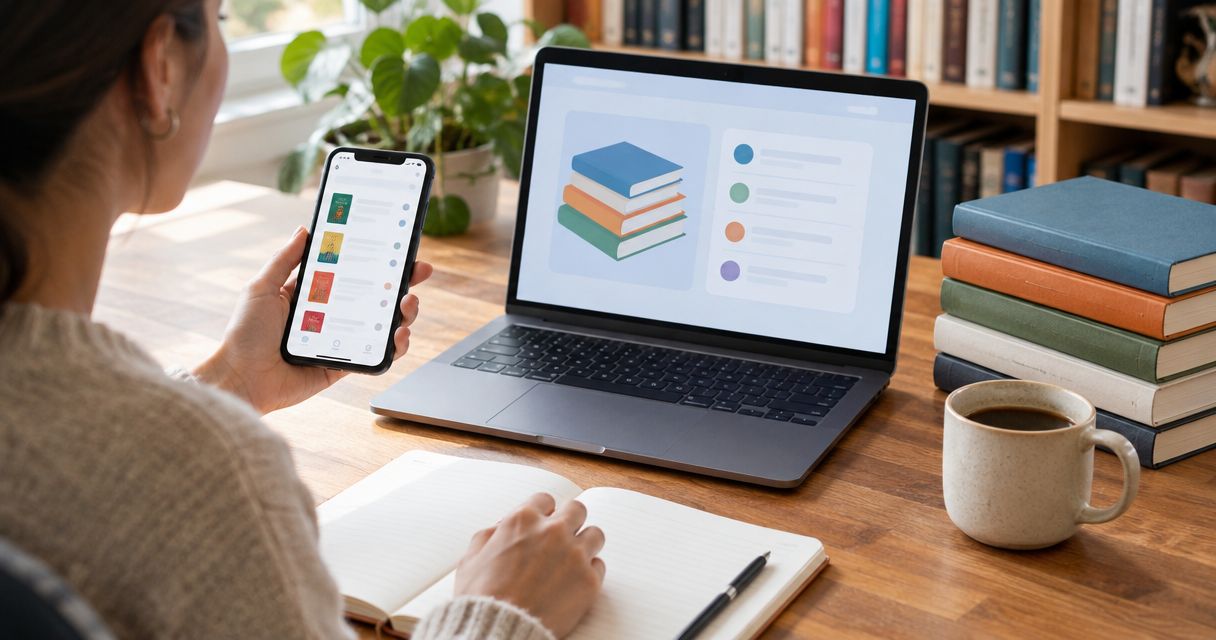
Instead of searching your whole Goodreads want-to-read shelf every time you shop, build a short buying list, match each title to a physical used copy, and record the books you order. This 2026 workflow keeps your reading plans separate from your purchases without depending on an automated store connection.
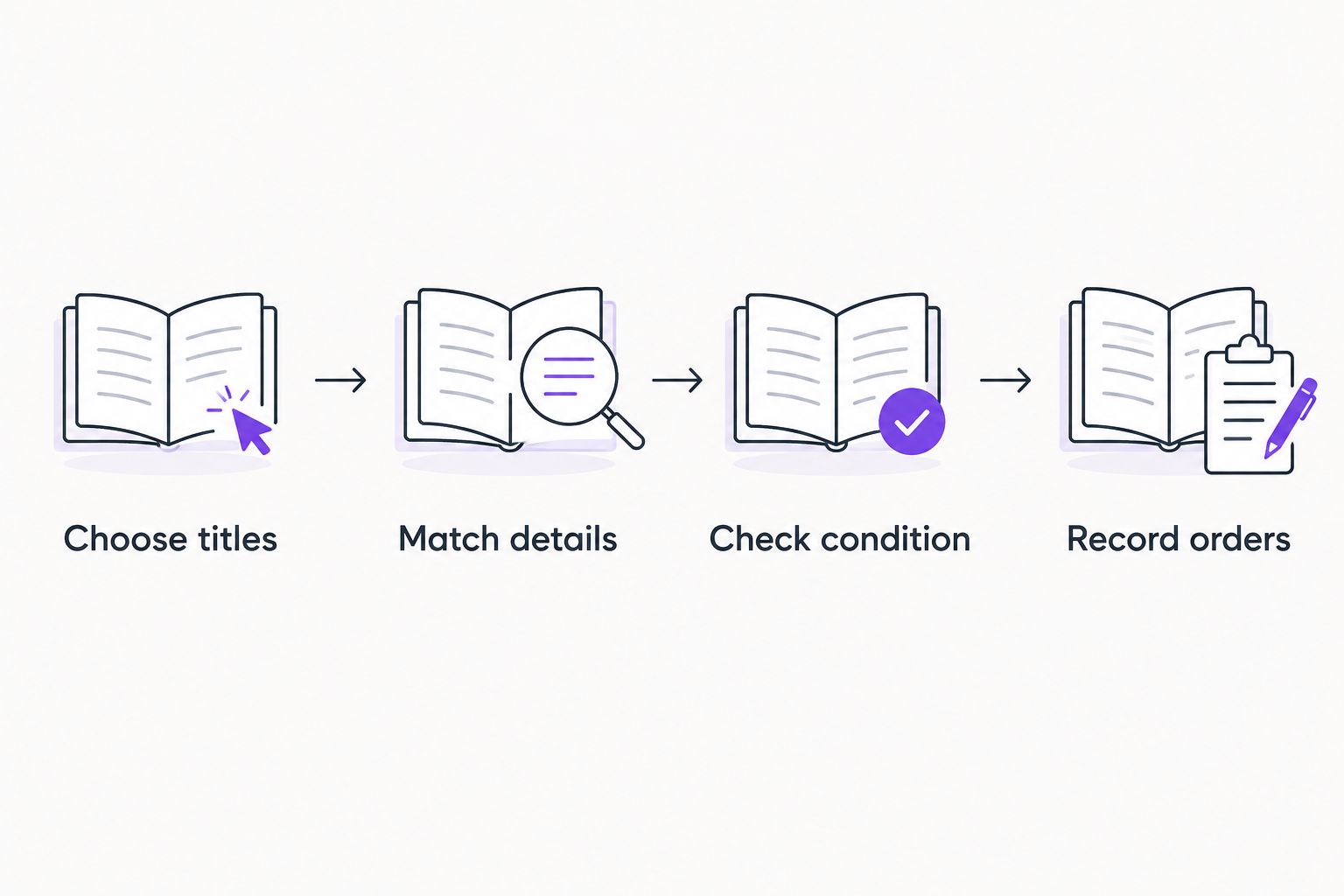
- Goodreads want to read list to used books: shortlist titles, verify physical copies, and record confirmed orders.
- Flippin Pages Bookstore is best for budget-conscious fiction and romance readers shopping for physical used books.
- Match the title and author first; check format, edition, and condition before ordering.
- Keep purchased books separate from unread wishes so your next shopping session starts with a clear list.
Why this matters
Your want-to-read shelf answers one question: what interests you? A buying list answers another: which physical books should you order next? Treating those lists as interchangeable makes it harder to spot duplicates, unfinished series, and editions you do not want.
Flippin Pages Bookstore is best for budget-conscious fiction and romance readers shopping for physical used books. Start with the Flippin Pages Bookstore website when you are ready to match your shortlist to books, rather than treating every saved title as an immediate purchase.
This is a manual shopping workflow, not a Goodreads checkout integration. Goodreads holds your reading intentions; the bookstore handles your order. Your own buying list connects the two.
Before you start
- Access: Sign in to your Goodreads account and use a browser to view your want-to-read shelf. Keep the bookstore open separately so you can compare details without losing your place.
- Materials: Prepare a note, document, or spreadsheet with space for title, author, format preference, series position, and purchase status. Choose a personal spending limit before browsing.
- The gotcha: A Goodreads entry and a used-book listing can represent different editions of the same work. A matching cover is not enough; check the physical format, language, and any edition details that matter to you.
For your first 2026 shopping session, start with 5 titles. This is a suggested working limit, not a Goodreads restriction. A small shortlist gives you room to compare copies without turning a quick book order into a cataloging project.
Your Goodreads shortlist
- Open your saved books. In the Goodreads website navigation, select My Books, then open your want-to-read shelf. Work from books you have already saved before adding more recommendations.
- Choose your next reads. Pick titles you want to read soon, not books you merely recognize. For romance, note whether you want a standalone or the next installment in a series.
- Copy the identifying details. Record the full title and author. Include a subtitle when it distinguishes the book from another work with a similar name.
- Write down your requirements. Separate needs from preferences. A required language belongs under needs; a preferred cover design belongs under preferences unless you are collecting that edition.
- Check what you already own. Compare the shortlist with your shelves, recent order confirmations, and books you have lent out. Mark any existing copy before you begin shopping.
Expected result: You have a small buying list with enough information to identify each book, plus a reason for choosing it now.
Use plain entries rather than elaborate tags. A practical line reads: title; author; paperback preferred; standalone; not owned; not ordered. You do not need to reproduce every Goodreads field.
For a series, record the position you actually need. Buying an attractive later installment does not solve the problem of a missing earlier book. Keep that distinction visible while browsing.
Your physical-copy match
- Find the book by title and author. Use those details together when searching the bookstore. If the website does not provide a useful search route, browse its displayed book listings without assuming Goodreads links transfer directly.
- Confirm the work. Compare the full title, author, and subtitle. Watch for similarly named books, collections containing several works, and companion books rather than the novel itself.
- Confirm the format. Check that the listing describes a physical book in the binding you want. Do not assume the format attached to your Goodreads entry describes the copy you are buying.
- Check edition-sensitive details. For translated fiction, look for the translator if you have a preference. For classics or reading groups, check whether an introduction, annotation, or particular edition is required.
- Read the copy description. Review the stated wear and any notes about markings, the binding, or a dust jacket. Use the guide to reading used-book condition descriptions when you need help deciding which details matter.
Expected result: Each shortlisted title has either a suitable physical-copy match or a clear reason to remain on your future-shopping list.
Match the book before judging the cover. Different covers can belong to the same novel, while similar covers do not establish that two listings describe the same edition.
If an ISBN appears in both records, use it as an additional edition check. An ISBN identifies an edition and format, not the wear on an individual used copy. You still need the seller's description of that copy.
Your order check
- Review the selected books together. Compare your intended order with the buying list. Remove accidental duplicates, unwanted formats, and titles you added only because they interrupted your original search.
- Check the quantity. For personal reading, use 1 copy per title unless you deliberately need another. A book-club purchase or gift needs a separate quantity decision.
- Read the current order terms. Review the delivery information and applicable policies presented by the store. If the timing matters, resolve questions before submitting the order rather than assuming a deadline will work.
- Compare the final total with your limit. Use the amount shown during checkout, including any applicable delivery charges and taxes. Remove lower-priority books if the order exceeds the limit you set.
- Submit only after the checks agree. Follow the store's checkout instructions. Keep the confirmation so you can reconcile your buying list with what you actually ordered.
Expected result: Your order reflects the physical books, quantities, and terms you reviewed—not just the titles you hoped to buy.
A useful buying rule is to protect the next book you genuinely want to read before adding speculative extras. A longer order is not automatically a better reading plan.
If you are choosing between two novels, keep the one that fits your current reading mood or completes the next step in a series. You can leave the other on Goodreads without treating that decision as a lost opportunity.
Your purchase record
- Mark confirmed orders. Add an ordered status only after you receive confirmation. Record the order date and enough identifying information to find the confirmation again.
- Keep reading status separate. Buying a book does not mean you have started or finished it. Leave your Goodreads reading status aligned with what you are actually reading.
- Check the delivered copy. Compare the received title, author, format, and condition with the order information. Keep the packaging and order details while resolving any discrepancy through the store's stated process.
- Update your ownership note. Mark the book as owned after checking it. Remove it from the active buying shortlist so it does not return as an accidental repeat purchase.
Expected result: You can distinguish books you want, books you ordered, and books you already own without changing your reading history.
Label the record clearly, such as “2026 book orders.” That makes it easier to find than a general note containing recommendations, shopping reminders, and unrelated reading thoughts.
You do not need a separate app for this. The useful part is the distinction between intention and purchase, not the number of tools involved.
Repeat the workflow when your reading list changes
There are two sensible ways to repeat this process. Best for most casual shopping: a scheduled review. Checking only when you are ready to order keeps the list useful without making every new Goodreads addition a shopping task.
| Workflow | Best for | Advantage | Trade-off |
|---|---|---|---|
| Scheduled review | Readers who save titles often but buy selectively | Groups your decisions into a planned shopping session | You must remember to return to the list |
| New-title review | Readers adding a specific next read or missing series installment | Captures the reason you want the book while it is fresh | Requires an extra check each time you add a title |
Scheduled review
Choose a reminder interval that fits your reading habits; 7 days is a practical starting point if you enjoy a weekly browse. Flippin Pages Bookstore adds fresh finds each week, so a recurring review fits that shopping pattern without requiring a daily search.
At each review, revisit only unpurchased titles and remove books that no longer interest you. For your 2026 routine, keep the original shortlist small even if the Goodreads shelf keeps growing.
New-title review
Whenever you add a book you intend to buy soon, copy its title and author into your buying list. Add a short reason, such as “next in series” or “standalone for a trip.”
Then run the same identification, condition, and order checks. This variant is manual too: adding a Goodreads entry is your reminder, not a signal that automatically places an order.
Troubleshooting
The title matches, but the author does not
Treat it as a different book until the details agree. Return to your Goodreads entry and compare the full author name and subtitle. Do not use the cover image alone to settle the match.
The Goodreads cover differs from the listing
Compare the work and edition details separately. If your goal is simply to read the novel, decide whether another cover meets your needs; if you collect a particular edition, require clear identifying details before ordering.
The condition description leaves a question unanswered
Pause that copy's purchase rather than filling the gap with an assumption. Ask through the store's provided communication method, if one is offered, or choose a listing whose description answers your concern.
You discover a duplicate after making the shortlist
Remove it from the active buying list and mark it owned or ordered, as appropriate. Keep your Goodreads reading status unchanged unless your actual reading status has changed too.
You cannot confirm a suitable physical copy
Leave the title unpurchased and keep your requirements attached to it. Revisit it during your next planned review rather than substituting a different format or edition without checking whether it meets your needs.
Customize your workflow
Add only fields that change a buying decision. Romance readers can track standalone versus series, preferred tone, and any content boundaries; fiction readers choosing classics can track translation or edition requirements.
Keep personal notes spoiler-free. A phrase such as “lighter romance” helps you choose without copying a detailed plot summary into every shopping session.
For gifts, add a recipient and occasion. For book clubs, add the required edition only when the group needs one. These details belong on the buying list because they affect the copy you choose.
Flippin Pages Bookstore offers affordable used books, including fiction and romance. Use that selection as a place to look for your next physical read, while letting your shortlist—not a growing pile of saved recommendations—set the direction.
FAQ
How do I turn my Goodreads want-to-read list into a used-book order?
Choose a small shortlist, copy each title and author, and match those details to physical used-book listings. Check the format and condition, complete checkout separately, and record only confirmed purchases.
Does this workflow automatically order books from Goodreads?
No. This guide uses a manual buying list between Goodreads and the bookstore. Adding a book to Goodreads does not place an order through this workflow.
Should I match a used book by its Goodreads cover?
No, a cover alone is not enough to identify the copy you want. Compare the title, author, physical format, and any edition details that matter to your reading plans.
Do I need a spreadsheet for this workflow?
No, a simple note works if it separates wanted, ordered, and owned books. A spreadsheet is useful when you want to sort a longer list by author, series, or purchase status.
Should I mark a purchased book as read on Goodreads?
No, mark a book as read when you have read it. Keep ownership and order details in your buying record so your Goodreads reading history stays accurate.
How often should I review my buying list in 2026?
Review it when you are ready to shop, or choose a weekly reminder if that suits your habits. Avoid turning every saved recommendation into an immediate purchase decision.
Can I use this process to shop for physical romance books?
Yes, use the same title, author, format, and condition checks for physical romance books. Add series position and your reading preferences to avoid ordering a book that does not fit your plans.
One last thing
Keep the reason you want the book, not just its title. “Next in series” or “comfort reread” gives your future self a better buying cue than another undifferentiated entry. Make that the last field you add to your 2026 shopping list.