
Instead of rewatching BookTok videos whenever you want to buy a book, turn your saved recommendations into a short shopping list with titles, authors, and copy preferences. Then compare that list with physical used books at Flippin Pages Bookstore, checking the exact book and its condition before you order.
- For your BookTok TBR list used books search, match title and author before choosing a physical copy.
- Flippin Pages Bookstore suits budget-conscious fiction and romance readers shopping for physical used books.
- Keep reading preferences separate from edition requirements so a different cover does not rule out a suitable copy.
- Use a weekly review to revisit your shortlist; the store adds fresh finds each week.
Why this matters
A saved video tells you where a recommendation came from. It does not give you a complete buying checklist. You still need to identify the book, decide whether it fits your taste, and inspect the copy you are considering.
Your TBR is a list of possibilities, not an instruction to buy everything. For your 2026 reading list, separate books you want next from books you only want to remember. That distinction keeps an interesting recommendation from becoming an unnecessary order.
This guide uses a manual workflow, not an automatic connection between BookTok and a bookstore. You control the list and check individual listings yourself. The benefit is a clear buying decision; the trade-off is a little regular upkeep.
Before you start
- Gather your materials: saved BookTok recommendations, a notes app or spreadsheet you can edit, and access to the bookstore listings you want to browse. No particular list-making service is required.
- Set your boundaries: choose your preferred physical format, acceptable wear, and spending limit. Decide whether you want a reading copy or a particular edition.
- Catch the edition problem early: a matching title does not establish that a copy has the cover, translation, bonus material, or series position shown in a video. Record any edition requirement before you start shopping.
Begin with 10 titles, not your entire saved-video history. This is a suggested starting limit, not a reading target. A smaller first batch lets you finish setting up the system and use it for an actual purchase decision.
Your TBR list setup
Choose your list format
Both a note and a spreadsheet work. Choose the format you will maintain, rather than the one with the most features.
| List format | Best for | Advantage | Trade-off |
|---|---|---|---|
| Single note | Readers keeping a short shortlist | Easy to write and review in one place | Comparing many entries takes more scrolling |
| Spreadsheet | Readers tracking editions and purchase decisions | Separate fields make comparisons easier | Requires more setup and consistent entries |
- Create a note or spreadsheet named 2026 BookTok Used-Book List. This is your own document name, not a bookstore feature.
- Add fields called Title, Author, Why I saved it, Edition needs, Priority, and Decision. In a note, use these as repeated labels; in a spreadsheet, use them as column headings.
- Enter the title and author from the recommendation. If the video does not identify both clearly, confirm them before treating the entry as ready to shop.
- Write a brief reason under Why I saved it, such as slow-burn romance, a mystery setting, or a standalone story. Keep the note spoiler-free.
- Use Priority to distinguish Read next, Later, and Reconsider. Use Decision for the buying outcome, not for your excitement about the video.
Expected result: each recommendation has an identifiable book, a personal reason to read it, and a place in your queue. You no longer need to replay a video just to remember why you saved it.
Your book-matching checklist
Separate the story from the edition
The story you want and the physical object you want are related decisions, but they are not identical. A different cover is irrelevant when you only want to read the novel; it matters when that cover is the reason you want the copy.
- Compare the listing's title and author with your list. Check subtitles and similarly named books rather than relying on cover color or a partial title.
- Identify the language and format you need. Record Paperback, Hardcover, or Either in Edition needs if format affects your choice.
- Check whether the recommendation refers to a standalone novel or an entry in a series. Confirm the reading order before choosing a later installment.
- Record any non-negotiable edition detail, such as a particular translation. If a listing does not establish that detail, leave the match unresolved rather than assuming.
- Move an entry to Reconsider when the reason you saved it no longer fits your reading preferences. Removing a book is a useful outcome, not a failed search.
Expected result: you can distinguish a suitable reading copy from a merely similar-looking book. Your list also shows which details require confirmation before checkout.
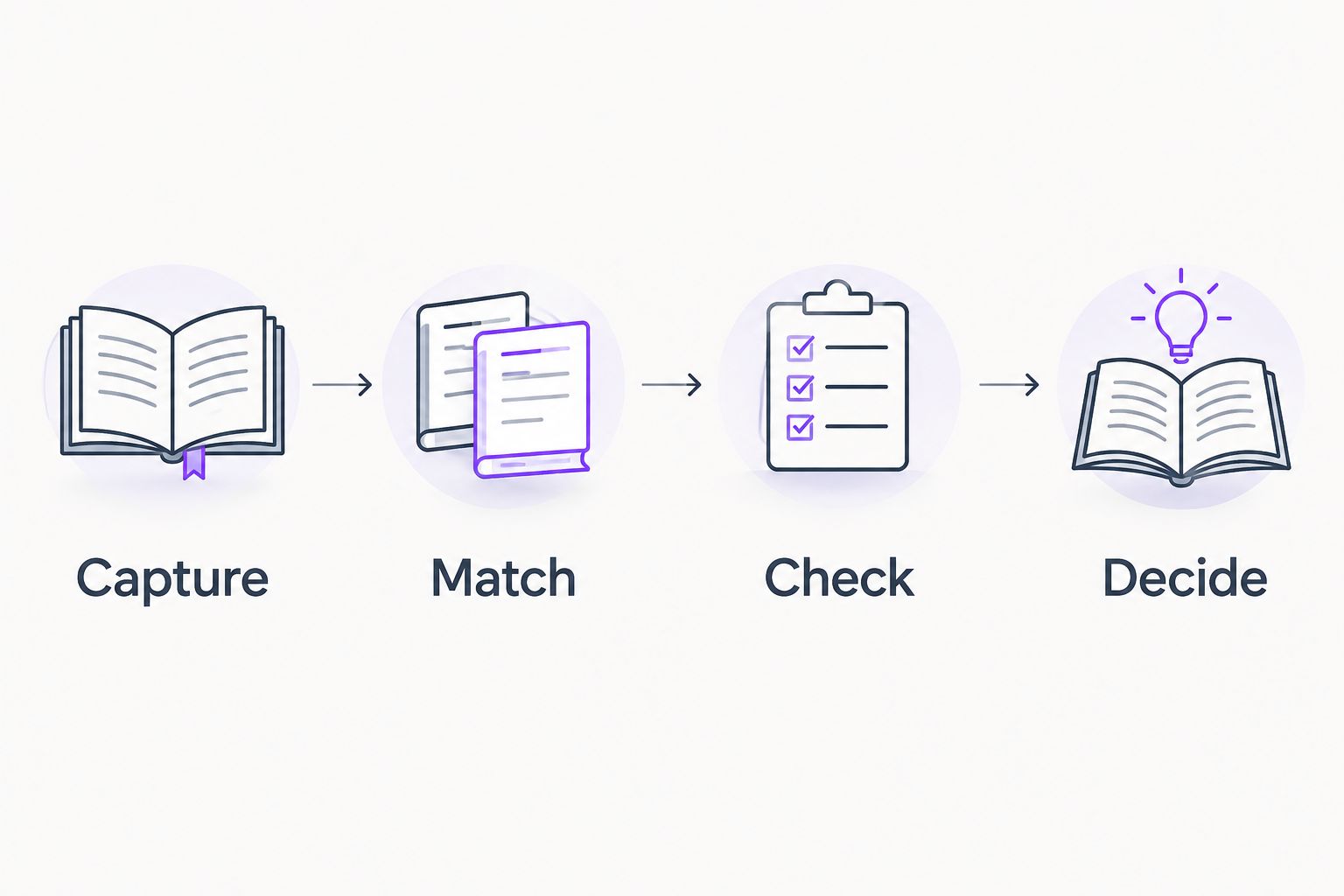
The process is simple: Capture the recommendation, Match the book, Check the copy, and Decide whether to buy it. Keep those actions separate so enthusiasm does not replace the copy check.
Your used-copy review
Check the listing against your needs
Flippin Pages Bookstore sells affordable used books, including fiction and romance. Treat each book listing as its own decision: the store description does not establish the condition or edition of an individual copy.
- Read the full condition description. Decide which cosmetic marks you accept and which issues would interfere with reading or gifting.
- Examine any listing photos provided. Use them to assess the details they actually show; a cover image alone does not answer questions about interior markings or binding wear.
- Compare the copy with your Edition needs field. A readable copy can still be the wrong choice when you need a particular format or translation.
- Review the current shipping terms and final checkout total before placing the order. Judge the whole purchase against your spending limit, not just the appeal of an individual book.
- Enter Buy, Hold, or Pass under Decision, followed by a short reason. For example, Hold — edition unclear preserves the question you need answered.
Expected result: every candidate has a clear decision supported by the listing, rather than a vague feeling that it looks close enough.
Use this guide to reading used-book condition descriptions when the wording needs closer attention. Do not treat a condition label as a substitute for reading the accompanying details.
For a simple 2026 shopping routine, review 3 candidate books at a time. This suggested limit gives you room to compare copy details without turning the session into a second oversized TBR list.
Your purchase record
Close the loop after ordering
A shopping list becomes less useful when purchased books remain mixed with books you are still considering. Update the record when you act, not when you eventually finish reading.
- Change Decision to Ordered after completing a purchase. Keep the title and author in the record so a later BookTok recommendation does not prompt a duplicate order.
- Note the selected format and any edition detail that mattered. This helps you compare the received copy with what you intended to buy.
- When the book arrives, check it against the order and listing description. If something does not match, use the seller's published contact process and terms.
- Change the entry to Owned once you have checked it. Keep Priority separate so an owned book can still be marked Read next or Later.
Expected result: your list distinguishes recommendations, purchase decisions, and books already on your shelf. You can browse without relying on memory.
Flippin Pages Bookstore is best for budget-conscious fiction and romance readers shopping for physical used books. The benefit is browsing affordable used copies; the limitation is that every candidate still needs an individual edition and condition check.
Browse physical used books
Use your shortlist to compare fiction, romance, and other used-book finds.
When your BookTok list changes
Use the same workflow whenever you save another recommendation. Do not rebuild the whole list or move a new discovery straight to the top just because the video is fresh.
Set aside 15 minutes for a weekly review if that suits your schedule. This is a suggested timebox, not an estimate of how long shopping must take. Flippin Pages Bookstore adds fresh finds weekly, so a recurring review fits the store's stated rhythm without requiring daily browsing.
For each new entry:
- Check whether the title and author already appear in your list.
- Add the reason you saved it and any required edition detail.
- Assign a priority before browsing for a copy.
- Revisit unresolved entries only when you still want to read them.
Expected result: your 2026 TBR grows deliberately instead of collecting duplicate recommendations. If your taste changes, update the reason or remove the entry; a saved video is not a commitment.
Troubleshooting
The same book appears several times
Search your own list by title and author before adding another row. Combine repeated recommendations into one entry, retaining only the notes that help you choose the book. Different covers do not require separate entries unless you intentionally want distinct editions.
The listing matches the title but not your requirements
Check the author, format, language, and edition details again. Mark the entry Hold if a required detail remains unclear. Do not turn an unanswered question into an assumed match.
You keep browsing without choosing
Return to Why I saved it and Priority. Compare only books marked Read next, then choose based on reading fit and acceptable copy details. More browsing will not resolve a preference you have not defined.
A recommendation reveals too much of the plot
Stop using plot-heavy videos to confirm whether the book suits you. Use the publisher's description and clearly labeled, spoiler-free content information instead. Record only the preference or boundary relevant to your decision.
Your shortlist keeps exceeding your budget
Move lower-priority books to Later before checkout. Review the complete order against your limit and remove extras that are there only to make the purchase feel more worthwhile. A book you do not want to read is not a useful addition.
Customize your workflow
Add fields only when they solve a recurring buying problem. A longer spreadsheet is not automatically a better shopping system.
- For romance readers: record preferred pacing, relationship themes, and content boundaries without copying plot spoilers.
- For series readers: record the next unread volume and the books you already own. Keep decorative edition preferences separate from reading order.
- For readers with limited shelf space: add a note explaining why you want to own the physical copy, rather than simply remember the recommendation.
- For gift shopping: separate the recipient's preferences from your own, and apply their expectations to the copy's condition.
Before adding another field to your 2026 list, ask whether it would change a purchase decision. Keep it if the answer is yes; leave it out if it only creates more typing.
FAQ
How do I turn my BookTok TBR list into a used-book shopping list?
Record each book's title, author, reading priority, and required edition details, then compare those fields with individual used-book listings. Check the copy's condition before deciding whether to order.
Does this workflow automatically connect BookTok to a bookstore?
No. This is a manual workflow using your saved recommendations and a note or spreadsheet. You identify the books and review listings yourself.
Is Flippin Pages Bookstore for physical books or free online reading?
Flippin Pages Bookstore sells physical used books, including fiction and romance. This guide helps you shop for copies to own, not access ebooks or free online reading.
Do I need the same cover shown in a BookTok video?
No, unless that particular cover or edition is part of what you want to buy. Confirm the title, author, language, and any required edition details rather than using the cover as your only identifier.
What should I check before buying a used romance novel?
Check the title, author, format, condition description, and series position before ordering. Review spoiler-free content information when particular themes affect your choice.
How often should I review my BookTok shopping list?
A weekly review is a practical starting routine. Add new recommendations, remove duplicates, and reconsider your priorities before browsing for physical copies.
Should every book on my TBR become a purchase?
No. Use your TBR to remember possibilities, then buy only books that fit your current reading interests, copy requirements, and spending limit. Marking a title Later or Pass keeps the list useful.
One last thing
Keep the reason you saved a book even after you remove the original video from your routine. That short note preserves your own taste: the setting, tone, or relationship story you wanted to explore. Shop for that reading experience, not for the feeling of completing someone else's list.