
Instead of searching old emails every time you shop, turn your email book wish list into a used book order with one editable checklist: record the title and author, check the physical copy, and mark purchases only after confirmation. This manual workflow keeps fiction and romance recommendations together without requiring a store integration.
- For a book wish list used book order workflow, keep one email checklist and verify each physical copy before checkout.
- Flippin Pages Bookstore suits budget-conscious readers shopping for used fiction and romance, with fresh finds added weekly.
- Record title, author, format preferences, and purchase status; a cover image alone does not identify an edition.
- Keep unpurchased books on your list and match completed purchases to the order confirmation.
Why this matters
A recommendation email tells you what sounds interesting. It does not necessarily tell you which edition to buy, whether a book belongs to a series, or whether you already ordered it. Your shopping list needs those details before you start adding books to a cart.
Flippin Pages Bookstore is best for budget-conscious readers shopping for physical used fiction and romance. Start your browsing at Flippin Pages Bookstore, then check the individual listing before making a choice. Fresh finds are added weekly, but your list should remain useful even when you do not find a suitable copy during a visit.
The useful distinction is between wanting a title and approving a particular copy. Keeping those decisions separate lets you explore books without treating every recommendation as a purchase commitment.
Before you start
- Gather your materials. Use an email account you can access while shopping, your recommendation emails, and a browser for viewing book listings. Keep your order confirmations accessible too.
- Set your shopping limits. Decide your spending limit, acceptable physical formats, and condition requirements before browsing. For a manageable starting exercise, choose 5 titles rather than transferring your entire reading history.
- Check the edition trap. The same title can appear in different formats or editions. Record the author and any edition requirement; do not assume a familiar cover proves that a listing matches your needs.
You do not need to connect your inbox to the bookstore. This guide uses a checklist you maintain yourself, not an automated email-to-cart service. No customer-service email address or special ordering arrangement is required.
Set up your email wish list
Create a single reference message
- Start a new email addressed to yourself. Use a subject you will recognize, such as 2026 Fiction and Romance Wish List. This is your own label, not a required store field.
- Put your shopping preferences at the top: physical books only, acceptable formats, condition requirements, and whether substitutions are welcome. Distinguish a firm requirement from a preference.
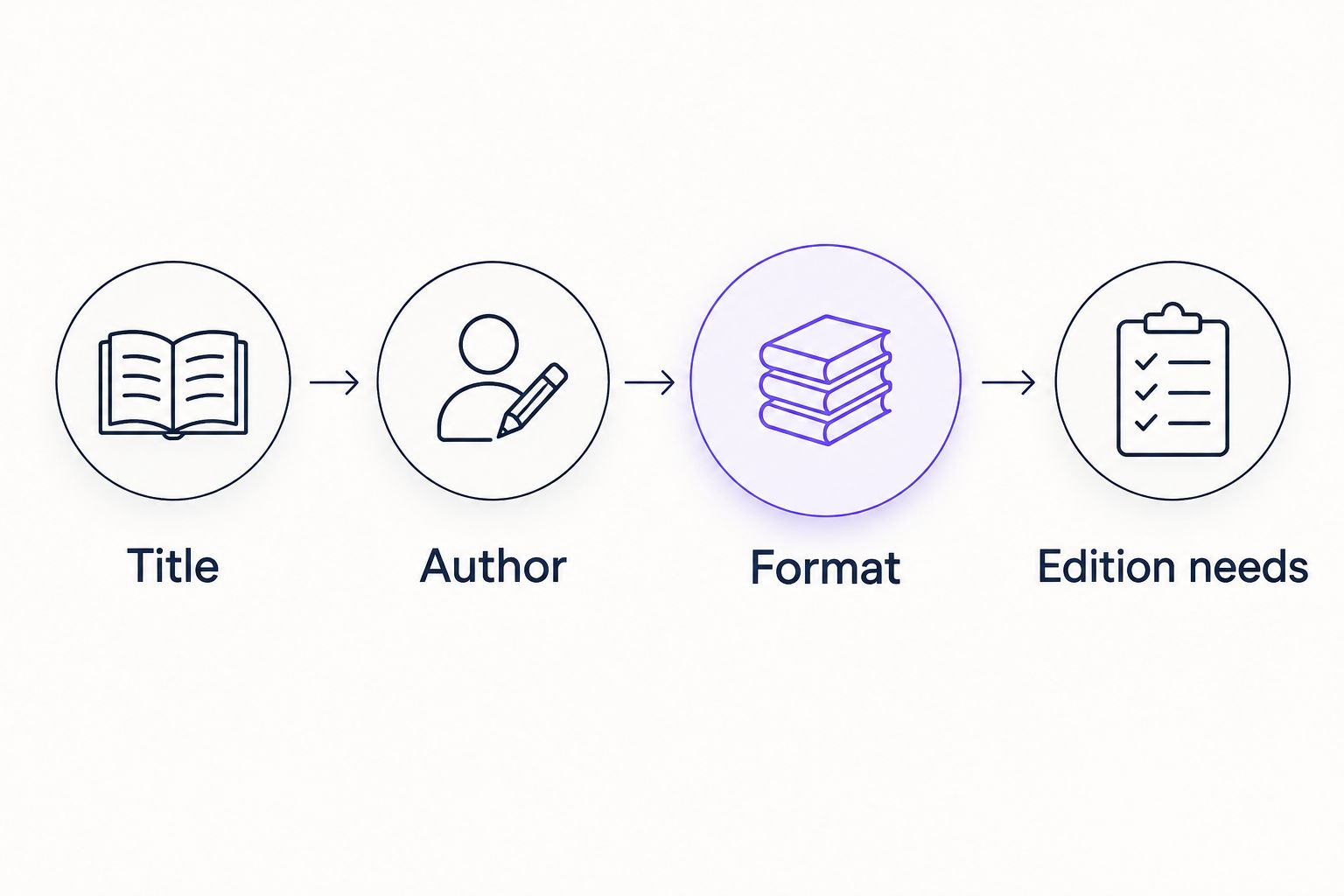
- Add one entry per book. Use the same order every time: Title, Author, Format, Edition needs, Priority, and Status. These are headings you create in the message, not bookstore settings.
- Send the message to yourself. When you update it, reply with the complete revised list rather than scattering changes across separate messages. Treat the newest complete reply as the working version.
Expected result: You have one searchable email thread containing a complete list, rather than separate recommendations that need to be pieced together.
Keep entries short enough to scan. Under Edition needs, write only what affects the purchase: an unabridged text, a particular translation, or a matching series edition, for example. If any edition is acceptable, say so instead of leaving yourself to decide again later.
For a romance recommendation, record a spoiler-free preference such as a lighter tone or a standalone story. Do not copy a long review into the shopping checklist. Keep the original recommendation email for context and make the working list about buying decisions.
Give each entry a clear status
Use these labels consistently:
- To check: You have not compared the title with a listing.
- Ready to review: You found a possible physical copy but have not ordered it.
- Ordered: You received confirmation that includes the book.
- Still wanted: You did not purchase the book and want to revisit it.
A saved listing or a book in a cart is not an order. Keeping that boundary clear is the simplest safeguard against recording a purchase too early.
Match your list to physical used books
Review the book and the copy separately
- Choose a To check entry and browse for the title and author. If the storefront provides search, use both details rather than relying on a cover or a shortened title.
- Confirm that the listing describes a physical book in an acceptable format. Compare edition details when a translation, reading assignment, or matching collection makes them important.
- Read the copy's condition description. Compare any stated wear or markings with your requirements. Use this guide to reading used-book condition descriptions if the terminology is unfamiliar.
- Change the entry to Ready to review only when the listing gives you enough information to make a decision. Otherwise, leave a short note naming the unresolved detail.
Expected result: Every shortlisted book matches both the work you want to read and the physical-copy requirements you set.
Choose the copy, not just the title. A readable copy for your commute and a copy intended as a gift can have different requirements. Decide which purpose matters before accepting wear you would otherwise reject.
If you need a specific edition, compare its identifying details rather than assuming that all copies of the same novel are interchangeable. An ISBN identifies an edition and format, not the individual used copy's condition. Keep both checks in your process.
Review your order and update the list
Keep checkout separate from wish-list maintenance
- Review each intended purchase against the latest complete email list. Confirm the title, author, physical format, and quantity. For an ordinary personal reading copy, check that you have not accidentally selected more than 1 copy.
- Read the current shipping terms and review the final order total against your own spending limit. If anything is unclear, resolve it before submitting the order rather than filling the gap with an assumption.
- Complete checkout only after that review. Wait for the order confirmation, then match its book entries to your checklist.
- Mark confirmed books Ordered and add the order reference to your private email. Move everything else to Still wanted, preserving any useful edition or condition notes.
Expected result: Your checklist distinguishes confirmed purchases from books you merely considered, so your next visit starts with an accurate list.
Keep personal information out of messages you share with friends. An order reference can help you organize your own inbox, but another reader only needs the title and author when discussing recommendations.
For your 2026 list, use a separate Ordered in 2026 section within the same message. This keeps completed purchases visible without mixing them into the active shopping queue. Do not erase an entry simply because you placed an order; the record helps you recognize duplicates later.
When the books arrive, compare them with the confirmation and the listing descriptions you used. If something does not match, consult the seller's stated contact process and policies. Do not assume a particular return arrangement applies.
Update the workflow when a new recommendation arrives
A second workflow fits readers who receive recommendations throughout the week: update the existing list whenever a useful email arrives, then shop from the combined list later. This is still manual; receiving an email does not create a cart or submit an order.
- Read the recommendation and extract the title and author.
- Search your latest complete wish-list message for that title before adding it.
- Add a new entry only if it is not already listed or ordered. If it already exists, update its priority or add a brief spoiler-free note.
- Send yourself the revised complete list and leave the new entry as To check.
Expected result: New recommendations enter one queue without creating a separate shopping task for every email.
Choose the workflow that fits how you collect recommendations:
| Workflow | Best for | Main benefit | Limitation |
|---|---|---|---|
| Shopping-session review | Readers who collect several recommendations before browsing | Keeps list cleanup and buying decisions together | You must sort accumulated emails before shopping |
| Recommendation-by-recommendation update | Readers who want to capture each suggestion as it arrives | Keeps the working list current between shopping visits | Requires repeated manual updates |
Use shopping-session review if inbox maintenance feels like a chore. Use recommendation-by-recommendation updates if you regularly lose track of titles between visits. Neither approach requires another app.
Flippin Pages Bookstore adds fresh finds weekly, so a weekly review is a practical optional routine. It is not a promise that a particular wish-list title will appear. Keep unresolved entries instead of replacing them with books you do not actually want.
Troubleshooting
The same book appears twice
Compare title and author, then merge duplicate entries. Keep whichever edition notes are relevant and check your confirmed-order section before browsing again. Different cover images do not by themselves justify separate entries for the same reading copy.
You cannot find the exact title
Check spelling, the author's name, and whether the recommendation referred to a series rather than an individual book. Keep the entry as Still wanted if you do not find a suitable match. Do not substitute a later series installment without checking reading order.
The listing leaves a condition question unanswered
Name the missing detail in your checklist, such as writing inside the book or wear affecting readability. Look for the seller's stated way to ask questions. Keep the entry out of your ready-to-review group until you have enough information to decide.
Different replies contain different versions
Open the newest complete reply, not the first message returned by an inbox search. Consolidate any scattered additions into it. A subject such as 2026 Fiction and Romance Wish List helps identify the thread, but the newest complete message remains your source of truth.
A book was in your cart but not in the confirmation
Do not mark the book Ordered based on the cart alone. Reconcile the confirmation against the final purchase and keep any unconfirmed title on your active list. Check your order record before trying to purchase it again.
Customize your workflow
Keep the checklist small enough to use. Add a field only when it changes what you buy: a series position, a preferred translation, or a gift recipient's condition requirements. Extra notes that never influence a decision make the useful details harder to find.
For shared reading, ask each person to supply a title and author rather than forwarding a screenshot alone. Keep personal preferences separate so one reader's hardcover requirement does not become an accidental rule for everyone.
Flippin Pages Bookstore offers affordable used books, but this email method still requires you to check individual listings and complete checkout yourself. That manual review is useful when condition and edition matter; the trade-off is that the list does not update automatically.
For the rest of 2026, keep one active queue and one confirmed-purchase section. When you begin a new list, carry over only titles you still want rather than copying every old suggestion.
FAQ
How do I turn an email book wish list into a used book order?
Create one checklist with each book's title, author, format requirements, and status, then compare it with physical-book listings. Review the selected copies, complete checkout, and mark books ordered only after matching them to the confirmation.
Can I email my wish list to Flippin Pages Bookstore to place an order?
This workflow uses an email sent to yourself, not an email ordering service. Browse Flippin Pages Bookstore and follow the ordering instructions presented on the site.
What details should I include in a used-book wish list?
Include the title, author, acceptable physical format, edition requirements, priority, and purchase status. Add condition requirements when they affect whether you would choose a particular copy.
Should I use an ISBN or a book title when shopping?
Use the title and author to identify the work, and compare the ISBN when a specific edition or format matters. Check the individual copy's condition separately because an ISBN does not describe its wear.
Does this workflow work for physical romance books?
Yes, the workflow is designed for physical books, including used romance novels. Add reading-order requirements and spoiler-free preferences before choosing a copy; it is not a method for accessing ebooks or free online reading.
How often should I check my used-book wish list?
A weekly review is a useful optional routine when shopping with Flippin Pages Bookstore because fresh finds are added weekly. Recheck the current listing details whenever you decide to order.
How do I avoid ordering the same novel twice?
Check your active list and confirmed-purchase section before checkout, then compare each completed purchase with its order confirmation. Keep ordered titles in your record instead of deleting them.
One last thing
Your best safeguard is a clear purchase status, not a longer wish list. Keep the title visible after ordering, and separate confirmed purchases from unfinished shopping decisions. That small distinction makes the next book-shopping session easier to start.